 Tutoring
  OneCard
  Bookstore
  Library
  Canvas
  Self Service
  Email
Email  Office Apps
  HelpDesk
  Employee Hub
  NetID/Passwords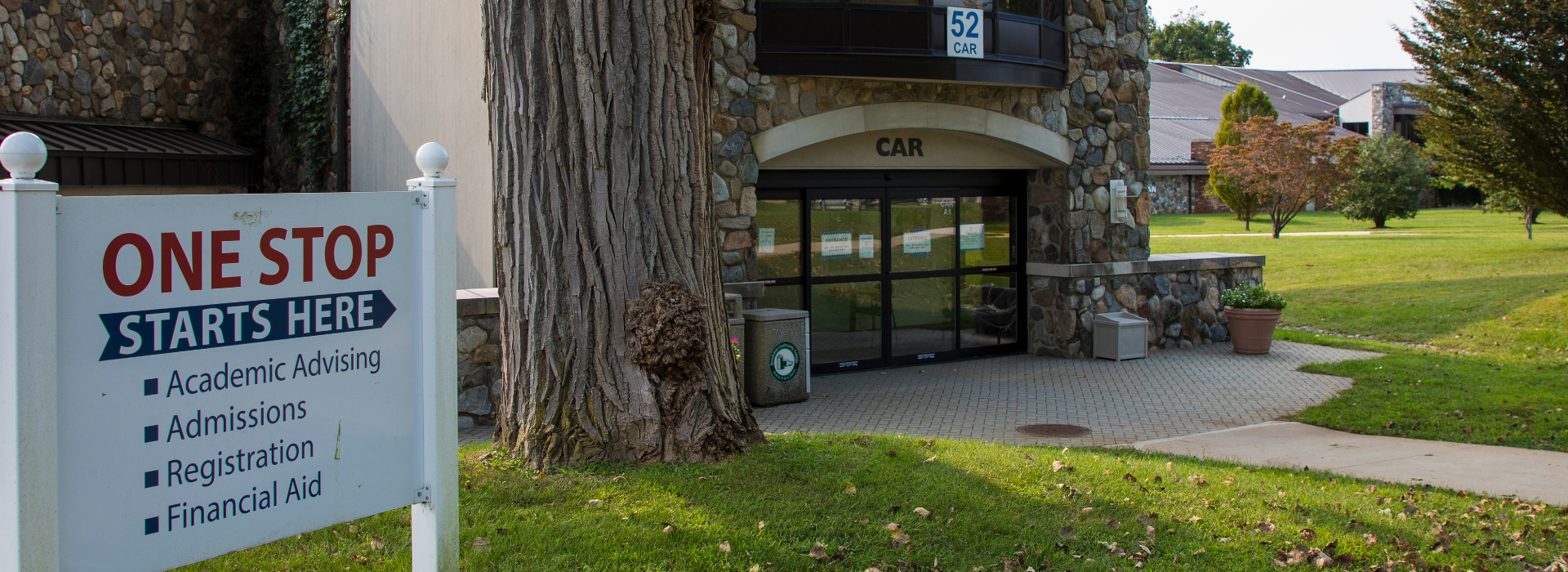
Brookdale’s One Stop Center
Now just one stop for faster, streamlined services in Admissions, Registration, and Financial Aid!
New or returning student? Just walk in and we’re ready to answer your questions and help you with shortcuts to your student planning services at Brookdale.
Have a Question?
Stop by the One Stop Office
Brookdale’s One Stop Center is located in the CAR Building (Parking Lot 5).
8/10/26 – 8/14/26
| Monday – Thursday | 8:30 a.m. – 6:00 p.m. |
|---|---|
| Friday | 8:30 a.m. – 4:30 p.m. |
8/17/26 – 9/30/26
| Monday – Thursday | 8:30 a.m. – 6:30 p.m. |
|---|---|
| Friday | 8:30 a.m. – 5:00 p.m. |
10/1/26 – 12/17/26
| Monday – Wednesday | 8:30 a.m. – 5:00 p.m. |
|---|---|
| Thursday | 8:30 a.m. – 6:30 p.m. |
| Friday | 8:30 a.m. – 5:00 p.m. |
Call us at 732-224-2020
Our Call Center is available 8:30 a.m. – 5:00 p.m., Monday through Friday.
New to One Stop?
Brookdale’s One Stop Center is a central location where you can take care of all of your enrollment needs in one place. Located in the CAR Building (Parking Lot 5), (View Map)
One Stop Center staff can answer all of your questions and concerns. When you come to One Stop, you’ll be matched up with a Specialist who will find the answers you need — whether it’s enrolling in a class, getting your transcript, applying for financial aid, paying tuition, and more.
Best of all, they can show you how to use all of our new self-services modules — like Student Planning — so that you can do everything online, yourself — saving you a trip to campus!
Quick Links
What Brookdale Offers
Types of Students
Becoming a Brookdale Student
Current Students
Academics
Registration
- Search For Classes
- How to Register
- Financial Aid
- Ways to Pay
- Proof of Enrollment
- Refund Policy Schedule
Student Resources
Student Planning
Use Student Planning to:
- Create your own personalized Degree Plan that will fasttrack you through Brookdale
- Find the courses and classes that match your schedule and your requirements: day of the week, time of day, and location.
- Schedule your classes and view them on an easyto-read calendar.
- Register for classes in Student Planning during student registration to get a seat in the classes you want, before they fill.
- Track your progress towards your degree or certificate.
Questions? Give us a call at the Student Planning Helpline at 732-224-2711.
Student Planning FAQ
What is Student Planning?
Brookdale’s Student Planning tool is an online degree tracking software that keeps you on the path to graduation.
In Student Planning, you can see where Brookdale courses fit into your busy schedule.
Student Planning allows you to do a “what if” analysis. This will let you see how your current courses will fit into another degree’s requirements.
Can you walk me through logging in to Student Planning?
- You must be a current Brookdale student (new students are fine) with access to Self Service.
- Log in to Self Service. (Need help? Review documentation for managing your NetID.)
- After logging in, choose Students for your role.
- On the following screen, choose Plan/Register/Add/Drop (it’s the second choice on the right side), and on the next screen, accept the Terms & Conditions.
- On the next screen, choose Student Planning, the top choice. Now, if you want to go directly to the Student Planning module, navigate to Go to Student Planning for Students at the bottom of the page.
- If you want to learn how to do specific tasks in Student Planning, view one of the video tutorials before you go to the module. Or, since Student Planning opens in a new window, just check back any time.
Is there an app?
You don’t need an app — this is a mobile responsive site. When you view the module on your phone or tablet, the software detects your device and shows an appropriate view of the Course Grid and My Progress tabs.